Video coming soon
The written walkthrough below covers everything in the meantime.
Walkthrough
- From the People tab (or from the tree view), tap the green + button to open the Add Person screen.
- Fill in the name. Birth date, death date, and birthplace are all optional — you can come back to them later.
- Want this person shown under a different name everywhere — say a married name, or the name the family actually uses? Open Display Name and set it. The tree, lists, and search all use it, while the formal record name stays intact for matching relatives.
- Add any Other Names they're known by — a maiden name, a former name, a nickname. Rootkin uses these so a voice recording or a search finds the right person even when a different name is spoken ("by Mary Collard" still finds Mary Obusina).
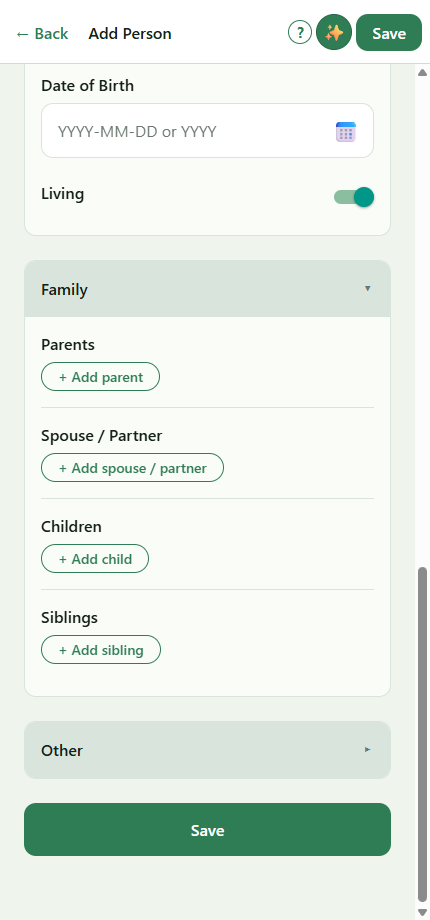
- Scroll down to the Family section. Tap + Parent, + Spouse, + Child, or + Sibling to link this person to others in the tree.
- As you start typing a relationship, Rootkin suggests existing people from your tree. If the relative isn't there yet, the picker offers to create them as a stub — fine for now, you can fill them in later.
- Tap Save. Rootkin lands you on the new person's profile.
Tip — describe your family by voice instead. If you'd rather speak a paragraph than tap through a form, tap the ✨ button in the screen header. See Describe your family by voice for the longer walkthrough.
Still stuck?
Our team reads every message — most replies within one business day.
Last updated 13 June 2026